---------------------------------------------------
【Voltage Compatibility】
Our products are selected to support international voltage ranges (e.g. 100–240V).
However, please make sure your local voltage is compatible before use, as incorrect voltage may still cause malfunction.
【Plug Type】
Our products use Japanese plug types (A or B type).
Please use a conversion adapter if necessary.
【Important Note on Transformers and Adapters】
A transformer adjusts voltage to match your device’s requirements.
A conversion adapter only changes the plug shape and does not adjust voltage.
Using only a conversion adapter without a transformer may result in damage to the product.
【Liability】
We are not responsible for malfunctions or damages caused by improper use, such as operating the product without appropriate voltage or equipment.
---------------------------------------------------
✅️ Works with all computers and laptops, including iOS 13/iOS 14 iPad/Pro/Air/Phone/Mac/MacBook/Pro/Air, Windows/Chromebook/HP/Dell/laptops.
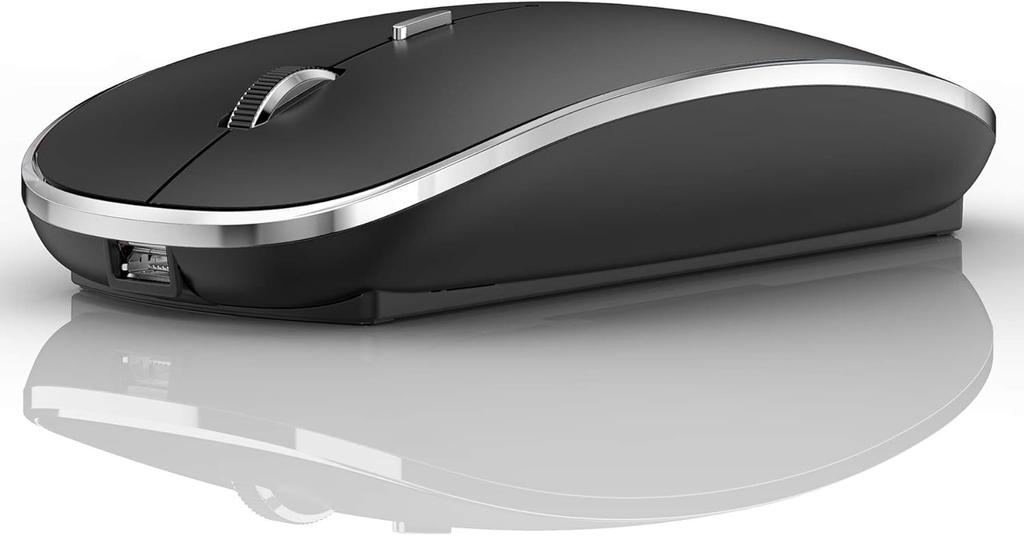
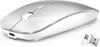
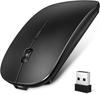
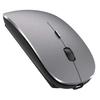
[Rechargeable Wireless Mouse] The built-in durable 450mAh lithium rechargeable battery lasts up to 500 hours after a full charge. Standby time is extended with automatic sleep and wake modes. It can be easily charged with the included USB cable, and there is no need to replace the battery.
✶️ Gentle on the Skin & Comfortable & Silent Click】A classic design silent click mouse. The anti-fingerprint finish provides maximum support and comfort to your hand. The sturdy, non-slip rubber scroll wheel prevents your hand from slipping while scrolling. The buttons make a quiet click sound when pressed, allowing you to concentrate on your work in peace, especially at home or in the office when others are resting.
✅ Use the on-screen DPI mouse button: You can freely adjust mouse sensitivity to suit your activity. Three DPI levels (800-1200-1600). The higher the DPI, the faster the cursor moves on the screen.
Power saving mode: When the mouse is not in use, it will go to sleep after 10 minutes. No operation required, power saving, and long-term use is possible. It can be activated by clicking any button.
✅ Mac laptop Bluetooth connection instructions:
Mac Settings > Bluetooth > '(Activate using the mouse's switch, then press and hold the bottom button on the mouse for 3 seconds)' > Connect to "Bluetooth 5.1 Mouse" on your computer (This method does not apply to iPads. Please read here for instructions on connecting an iPad).
✅OS13/iOS14 iPad/iPad Pro/iPad Air/mini/iPhone connection method:
iPad Settings > Accessibility > Touch > Assistive Touch > Devices > (Turn on the mouse switch and press and hold the black button on the bottom of the mouse for 3-5 seconds). > Bluetooth Devices > Bluetooth 5.1 Mouse > PIN: 0000 > Pair.
✅ Description of Windows 7/8/10/XP/ChromeOS/Series Notebook Computers:
Computer Settings > Bluetooth > Add a Bluetooth device > Open Bluetooth when your computer display is looking for nearby Bluetooth devices > "(Hit the mouse switch and press and hold the small button on the bottom of the mouse for 3 seconds)" and then search for "Bluetooth 5.1 Mouse" on your computer > Connect
How do I charge a wireless mouse?
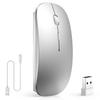
1. This is a rechargeable mouse. You don't need to buy any other batteries. It has a built-in lithium battery. It can be charged like a mobile phone. A USB charging cable is included in the box. Please keep the mouse's power switch in the "ON" position while charging.
2. If the mouse pointer does not move, is unusable, or suddenly disconnects, it needs to be charged for approximately 3 hours. Charge it using your computer's USB port or a 5V or lower adapter.
3. If the mouse is not used for 8 minutes, it will enter sleep mode, which can be weakened by pressing any button.
✅Package List: Instruction Manual *1, Rechargeable Bluetooth Mouse *1, USB Charging Cable *1.


 Rimborso per mancata consegna


![Per 2025 Bluetooth Compatibile con Mouse [Nuovo - Ultra Sottile], Wireless, Silenzioso, Alta Precisione, Ottico, Ricaricabile Type-C, DPI a 3 Livelli, Compatto,](https://img.joomcdn.net/691739620e31256c41bfa66e91856002989409de_100_100.jpeg)




![Mouse Wireless Ricaricabile Alta Alta Silenzioso DPI Facile da Facile Compatibile con e MacBook [Nuovo 2025, Ultra-Sottile e Tipo-C] Bluetooth, Precisione,](https://img.joomcdn.net/dd91e39f36c4cc275c28c9cdd434179f0c9c6c62_91_100.jpeg)