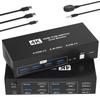
【HDMI KVM Switch 2 Input 2 Output】This HDMI KVM switch allows you to share a signal source between two PCs or PCs with two HD displays and four USB 3.0 ports. It supports resolutions up to 4K/60Hz, delivering high-quality video. Switching can be done using the buttons on the unit or the included wired controller, allowing for efficient work while keeping your desk clutter-free. It supports both extended and mirrored modes in a dual-display environment. The USB 3.0 ports support data transfer speeds up to 5Gbps, enabling high-speed sharing of peripherals such as USB memory sticks and printers. It is compatible with major operating systems including Windows, Mac, and Linux, making it usable in a wide range of environments. Note: Please ensure that each connected computer supports dual-display and has two HDMI ports and one USB-A port. This product is not compatible with docking stations or additional adapter cables.
【Ultra 4K@60Hz Video Experience】This display switch supports resolutions up to 4K@60Hz, allowing for smooth display of high-definition video. This resolution and refresh rate are common in many displays, providing sufficient performance for a wide range of uses, including everyday office work, video viewing, and light gaming. It also supports HDMI 2.0 and 3D, allowing you to enjoy richer colors and contrast with compatible content. Note: To display 4K/60Hz resolution, your computer, cable, and monitor must all support 4K/60Hz, and the cable length should be less than 3m.
[USB 3.0 Support with 5Gbps Transfer Speed (Theoretical Value)] This KVM USB switch features USB device sharing functionality, allowing you to share not only keyboards and mice, but also USB devices such as USB memory sticks, printers, and gamepads across multiple connected PCs. A major advantage is the four USB 3.0 ports, allowing you to connect and share many peripherals simultaneously. This eliminates the need for separate peripherals for each PC, saving desk space and reducing costs. The high-speed USB 3.0 standard ensures relatively smooth data transfer.
【Two Switching Methods】The KVM switch features a switch button on the front of the unit. Pressing this button allows you to physically switch between connected computers. This is a convenient feature for users who want easy switching, especially when the unit is placed around a desk. The button operation is intuitive and easy to understand, making it easy to use even for first-time KVM switch users. Furthermore, the included wired remote control allows for switching from a distance. This increases flexibility in placement, such as when you want to hide the unit and keep your desk tidy. Note: Keyboard shortcut (hotkey) toggling is not supported!
【Wide Compatibility】Compatible with a wide range of operating systems, including Windows 11/10/7/XP/Vista, Linux, UNIX, Chrome OS, and macOS. Even when using a mix of PCs and laptops from various platforms, you can use it without worrying about the OS type. It supports plug-and-play, meaning you can start using it simply by connecting it without installing any special drivers, which is highly convenient. The metal casing minimizes the risk of failure, improving long-term reliability, and provides a quiet and comfortable operating environment even during continuous operation.